Key Takeaways
- Digital play is most valuable when children create, test ideas, solve problems, and discuss their choices.
- Technology can support learning, but it should not crowd out movement, conversation, practical work, or imaginative play.
- Short, purposeful activities are usually more useful than long stretches of passive viewing.
- Parents and educators can make digital activities richer by joining in, asking questions, and setting clear boundaries.
- The best digital experiences lead children toward skills they can use away from a device.
Children are growing up with technology woven into school, home life, and play. That does not mean every learning experience needs a screen. It does mean that thoughtful digital activities can have a useful place beside books, building materials, outdoor exploration, art supplies, and conversation.
For example, a child might use a short simulation to explore a science question, then test the same idea with household materials or a hands-on project. Families looking for activities that make that transition easier can shop best science kits for kids at Abacus Brands and use the kit as a starting point for observation, prediction, and experimentation.
What Digital Play Means
Digital play is active, not merely digital. It happens when children use technology to make something, tell a story, test a choice, collaborate, design, pretend, or work through a challenge. Watching a video can sometimes introduce an idea, but it becomes play when the child responds, decides, creates, or applies what they have seen.
The device matters less than the experience. A tablet can support drawing, coding, music-making, or collaborative problem-solving. The same tablet can also encourage endless scrolling. Resources that examine educational technology can help adults focus on participation, discussion, and clear learning goals rather than screen time alone.
Real-World Skills Children Can Build
Well-chosen digital activities can give children repeated practice with skills that matter in school, relationships, and everyday life. The goal is not to make every child an expert user of an app. It is to help them think and act with purpose.
- Problem-solving: Children can test an idea, notice what went wrong, adjust, and try again.
- Creativity: Digital drawing, storytelling, animation, and game design invite children to turn ideas into something shareable.
- Communication: Explaining a design choice or presenting a project helps children organize their thoughts.
- Teamwork: Shared tasks require turn-taking, listening, negotiation, and the division of responsibilities.
- Self-regulation: Following steps, saving work, working toward a finish point, and stopping when time is up all require practice.
- Digital judgment: Children need opportunities to choose appropriate content, question information, and understand when to ask an adult for help.
Why Hands-On Learning Still Matters
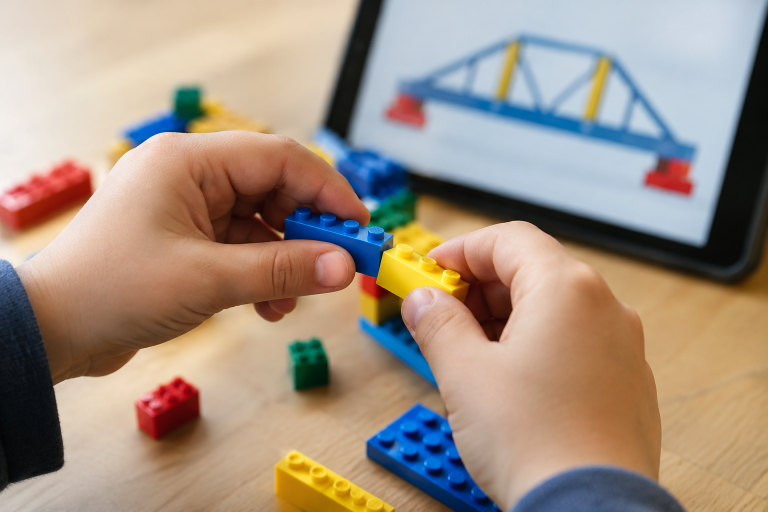
Children also need to touch, build, move, measure, draw, mix, sort, and explore real materials. Hands-on learning gives ideas a physical context. A digital model of a bridge can lead to a challenge with craft sticks. A virtual garden activity can involve planting seeds and recording the changes over time. A digital story can become a puppet show, a drawing, or a scene acted out with friends.
These connections keep learning social and memorable. They also prevent technology from becoming the entire activity. The screen can introduce a question, provide a tool, or document a result, while the child still spends meaningful time observing the world and using their hands.
How To Choose Useful Digital Activities
Before approving an app, game, or online activity, use a simple checklist:
- Check the goal: Identify one thing the child will make, learn, or practice.
- Look for active participation: Choose activities that ask children to create, decide, or solve rather than only tap for rewards.
- Check the pace: Children need time to think, make mistakes, and explain their choices.
- Review the content: Make sure the material fits the child’s age, interests, reading level, and needs.
- Limit distractions: Avoid activities dominated by ads, alerts, purchases, or pressure to continue.
- Plan an offline follow-up: Ask how the child can build, draw, move, read, or experiment with the idea afterward.
The Role Of Parents And Educators
Adult involvement turns many digital activities into better learning opportunities. Co-play does not require knowing every feature of a game or program. It can be as simple as sitting nearby, showing interest, and asking the child to explain what they are doing.
Useful questions include: “What do you think will happen next?” “Why did you choose that option?” “How could we test that idea in real life?” and “What would you change if you tried again?” Adults should also set a clear start and stop point, especially for younger children. Guidance on creating safe opportunities to apply digital skills emphasizes that children need practice, not only rules, to develop confidence and judgment.
Age-Appropriate Digital Play Ideas
Young Children
- Interactive stories with pauses to predict what happens next.
- Simple drawing, sound, sorting, matching, or pattern activities.
- Brief digital tasks followed by blocks, pretend play, movement, or outdoor time.
Elementary-Age Children
- Beginner coding challenges that encourage planning and revision.
- Digital comics, photo stories, or short presentations.
- Virtual tours paired with maps, library books, or a related craft project.
- Science prompts that lead to a real observation or experiment.
Older Children
- Game design, animation, music production, or video projects.
- Research tasks that compare claims across credible sources.
- Collaborative presentations and digital models.
- Design challenges that involve planning, testing, feedback, and revision.
Common Mistakes To Avoid
- Using technology as a reward without a clear purpose.
- Choosing an activity because it looks impressive instead of because it suits the child.
- Letting passive viewing replace conversation, reading, or free play.
- Offering too many choices at once, which can make it harder to begin.
- Ignoring accessibility needs, sensory preferences, and reading levels.
- Ending the activity without asking what the child noticed, what they learned, or what they want to try next.
A Simple Plan For Balanced Learning
- Set a goal: Choose one question or skill.
- Play with purpose: Use a short digital activity that requires action or decision-making.
- Pause and talk: Ask the child to explain their process.
- Make it real: Add a hands-on, reading, movement, art, or outdoor follow-up.
- Reflect: Discuss what worked, what failed, and what could happen next.
Final Thoughts
Digital play can support real-world learning when it encourages children to think, create, communicate, and try again. The strongest approach is not choosing technology over traditional play. It is connecting them. A brief digital challenge can become a science experiment, a shared conversation, a handmade model, or a new question worth exploring together.


0 Comments